Features
Catch the problem before your client does.
Coldops watches every client workspace and warns you the moment deliverability starts slipping — with the fix attached.
The same week, twice.
Every churned retainer starts small: one mailbox breaks on a morning nobody happens to be looking. Here's the week that follows, played twice — once on its own, once with Coldops watching.
Without monitoring
A mailbox burns.
One sending account's reputation tips over. It keeps sending — more of it bouncing, more of it landing in spam.
With Coldops
The next sync flags it.
The bounce spike crosses that campaign's threshold and an issue opens — client, campaign and severity attached.
Without monitoring
The sequencer's graph dips.
It reads like a slow week. A chart can't tell a slump from a symptom and nothing fires on a quiet decline.
With Coldops
One alert lands where you work.
Email or Slack: what broke, why and how to fix it. One notification per issue, auto-resolved when it's fixed — no storm to tune out.
Without monitoring
Nobody opens that dashboard.
Every client is another dashboard to check. The broken one is whichever didn't get opened today.
With Coldops
The campaign pauses on your rules.
Auto-pause stops a failing campaign automatically, reversibly — confirmed on Instantly and Smartlead — before the damage spreads.
Without monitoring
Bounces climb for a week.
Domain reputation follows them down and drags every other mailbox on that domain with it.
With Coldops
The damage stays contained.
The campaign is already stopped, which is what keeps one burned mailbox from becoming a burned domain. Fix or rotate, then resume in your own platform.
Without monitoring
The client asks why replies died.
The first alert anyone gets is the question itself — and the answer is now a week old.
With Coldops
The client hears it from you first.
The weekly report already covers what broke, what was done about it and what happens next — drafted from live campaign data, sent under your brand.
Without monitoring
The retainer comes up for review.
Churn rarely announces itself. It looks like a client who stopped replying to your reports.
With Coldops
The retainer survives the week.
That's the whole job. One saved retainer pays for Coldops many times over.
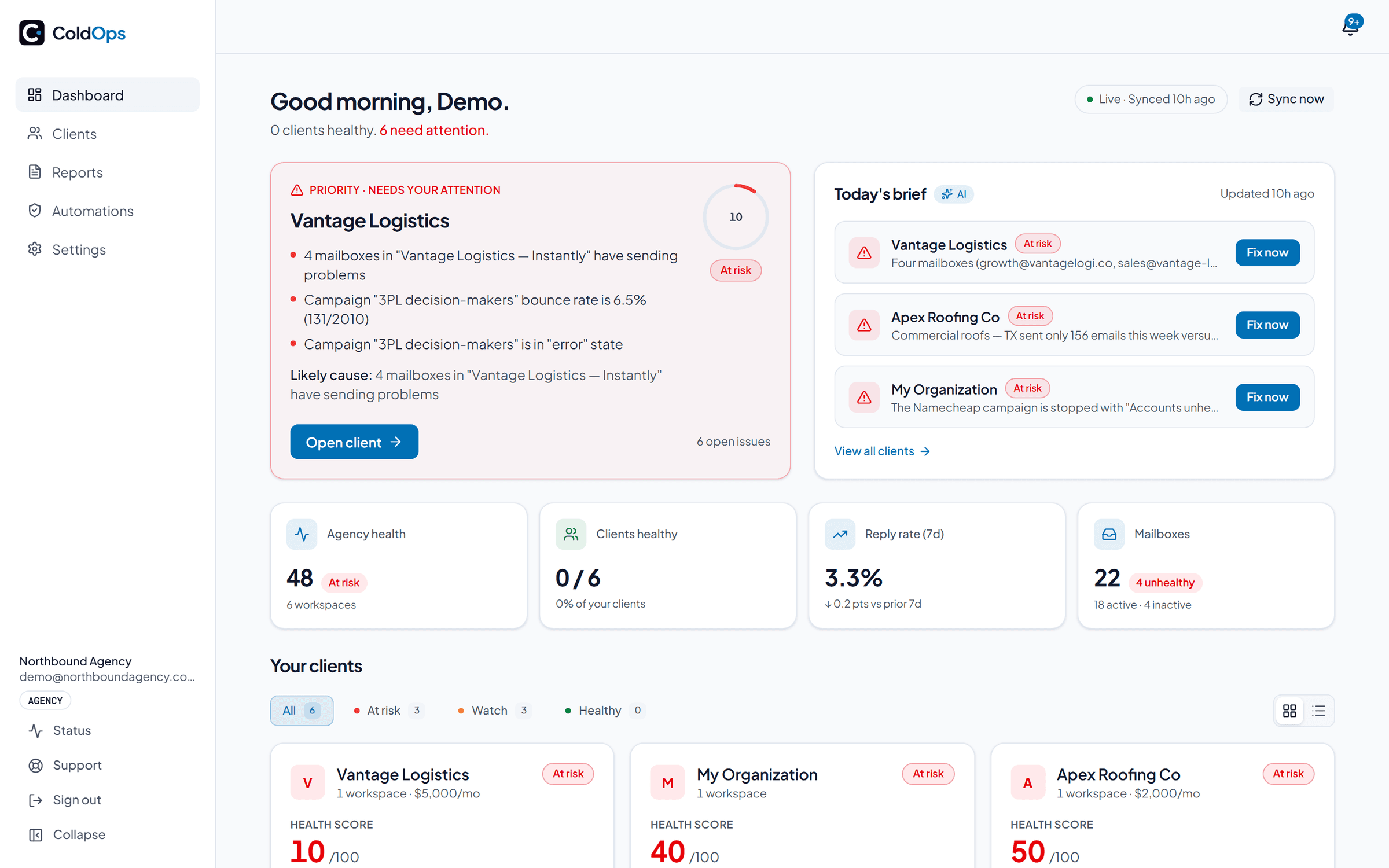
Your whole book on one screen
Every client workspace — Instantly, Smartlead, EmailBison and Apollo, mixed freely — pulled into one portfolio view. Campaigns, mailboxes, domains, reply metrics and open issues per client, sorted worst-first so the account most likely to churn is at the top at 7am, not buried in tab #14.
Health scores run 0–100 per client, graded Healthy, Watch, or At-risk and every deduction is itemized — you can always answer “why is this an 82?”
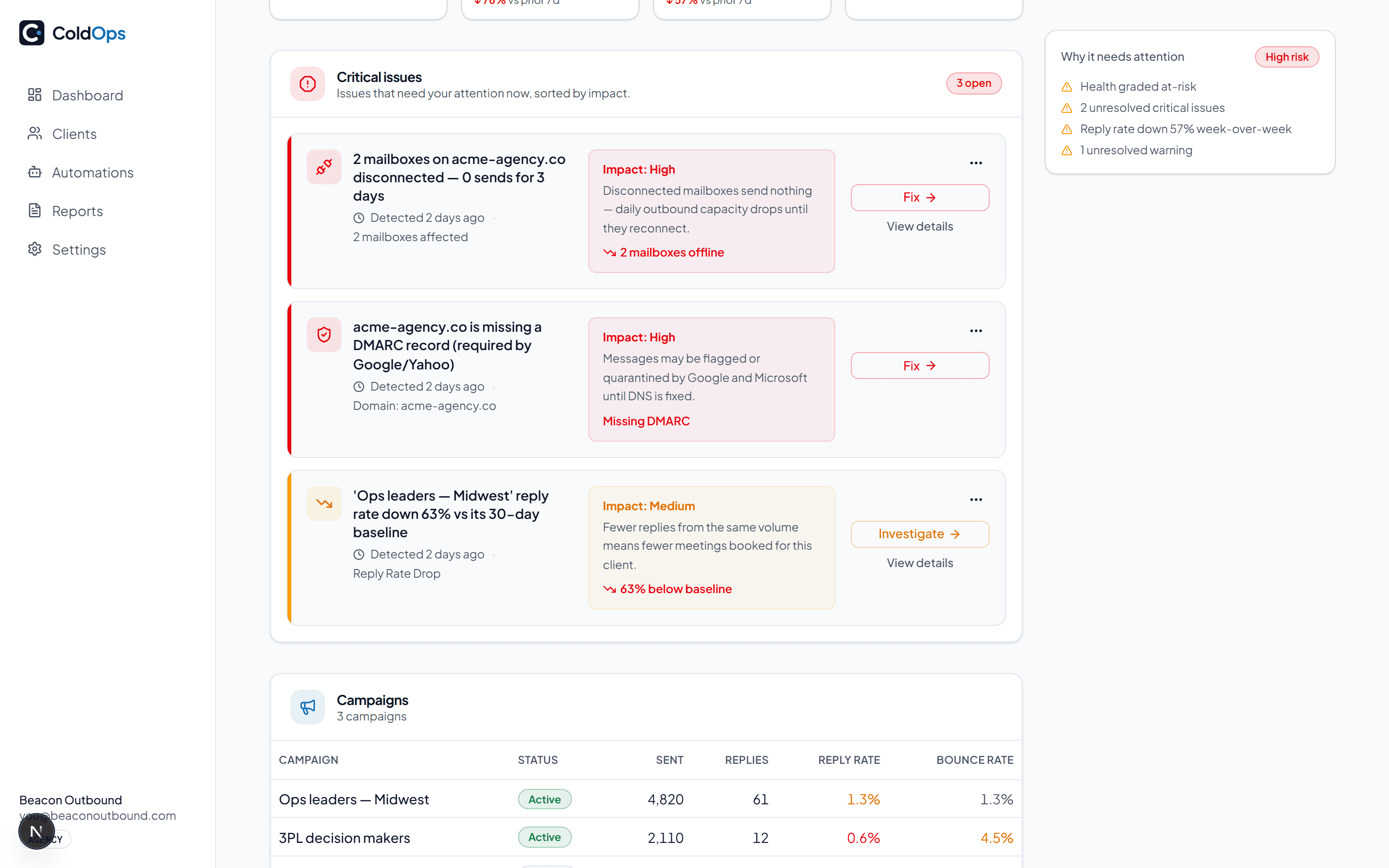
Know the moment a client's campaign starts dying.
35 deterministic checks run against each campaign's own baseline on every sync. Each issue alerts once by email or Slack with the root cause attached and auto-resolves when it's fixed. No alert storms, no “your score dropped” riddles.
The baseline is the point. Your sending platform tells you when a reply arrives, because an arrival is an event. Replies going quiet is an absence and nothing fires on an absence. Coldops compares each campaign's reply rate over the last 7 days against its own previous four weeks and alerts when it falls by half, so you hear about the silence while there's still time to fix what caused it.
High bounce rate
Bounce rate is above your threshold.
6.8% (threshold: 2%)
Reply rate dropped
Replies fell below half this campaign's own baseline.
1.4% vs 3.6% baseline
Warmup mail in spam
Warmup mail is landing in the spam folder.
3 mailboxes affected
Blacklist detected
A sending domain is listed on a blacklist.
1 domain affected
Low lead supply
A campaign has almost no leads left to contact.
2 campaigns < 2% left
Sending volume dropped
A campaign is sending far less than last week.
−62% vs prior 7 days
Mailbox burn accelerating
Mailboxes are burning out faster than replacements warm up.
Runway: ~3 weeks at current pace
Domain batch footprint
Sending domains share one registrar, nameserver set and registration day — the exact pattern blocklists key on.
12 domains registered the same day
Auth drift
An SPF, DKIM or DMARC record changed since the last check.
SPF changed on 1 domain
Automation triggered
An automation rule ran automatically.
Just now
Every check runs where your platform reports the data behind it. Where it doesn't arrive the check stays quiet rather than show an all-clear it can't back.
Catch the mismatch no other tool sees.
Google trusts mail from Google and Microsoft trusts Microsoft. When a campaign's leads sit mostly on one provider but you're sending from the other, that mail is filtered harder — quietly, with no bounce and no error to blame. Coldops samples each campaign's recipient providers against your sending mailboxes and flags the gap before it costs you replies.
47% of this campaign's leads are Microsoft-hosted, but this workspace sends almost entirely from non-Microsoft mailboxes — ~2,600 of 5,600 leads exposed to cross-ecosystem filtering.
Sampled from real recipient domains, aggregate only — Coldops never stores your leads' email addresses.
AI that does the writing, not the guessing
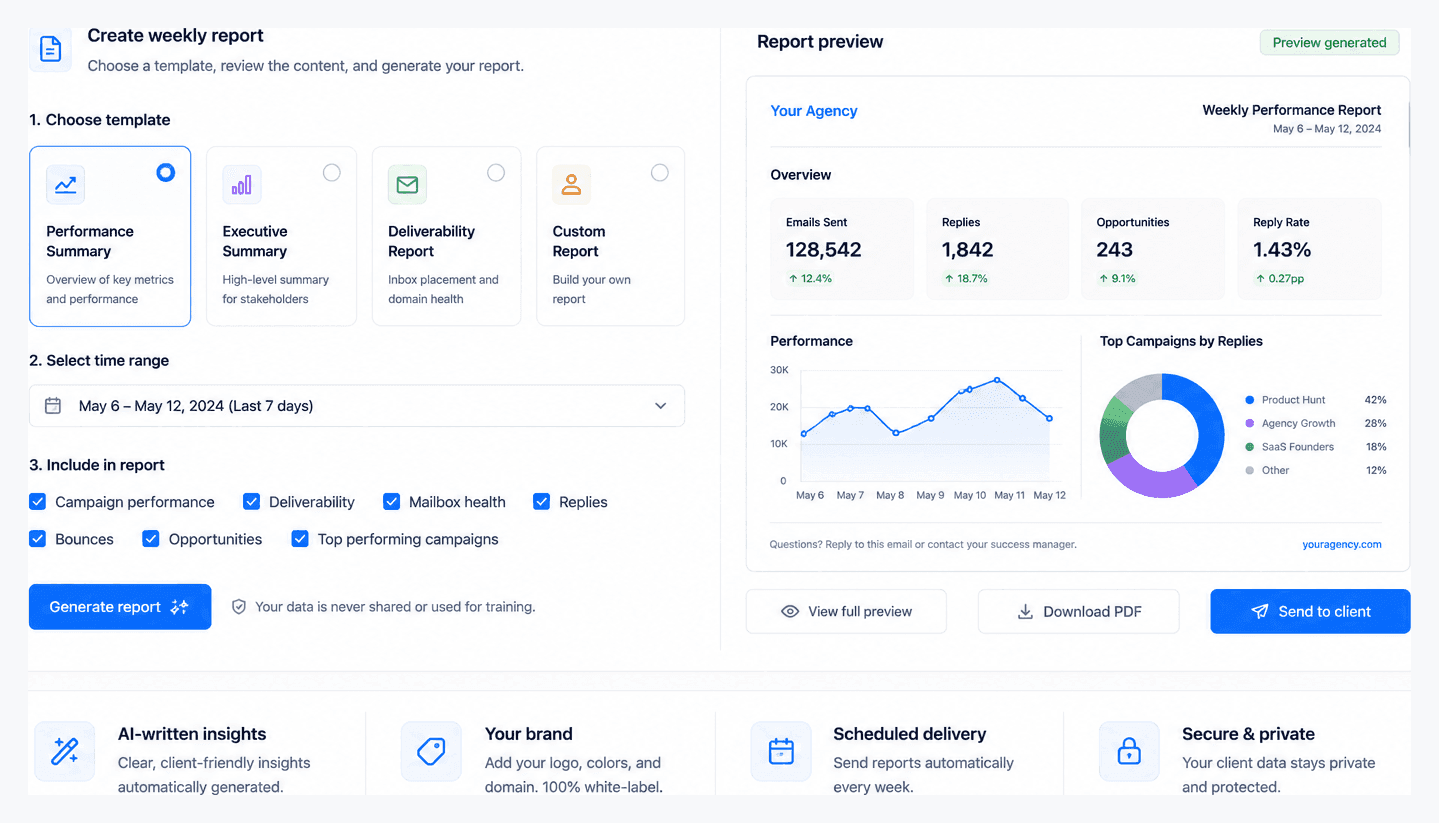
Weekly client updates
One click drafts a client-ready email from real campaign data: results, what was done, next week's plan. White-labeled with your logo and brand, sent from your own domain once you verify it. Edit two lines, send. Two minutes instead of forty-five.
Combined client reports
A client running several workspaces gets one report, not one per workspace — every workspace rolled into a single document, recipients deduped across all of them, sendable on a schedule.
Root-cause diagnosis
When something breaks, “Explain” hands the issue and your campaign data to the model and returns the likely cause with concrete fix steps — not a generic chatbot answer.
Monday agency digest
One Monday email across your whole book: who's healthy, who slipped, what to handle first this week.
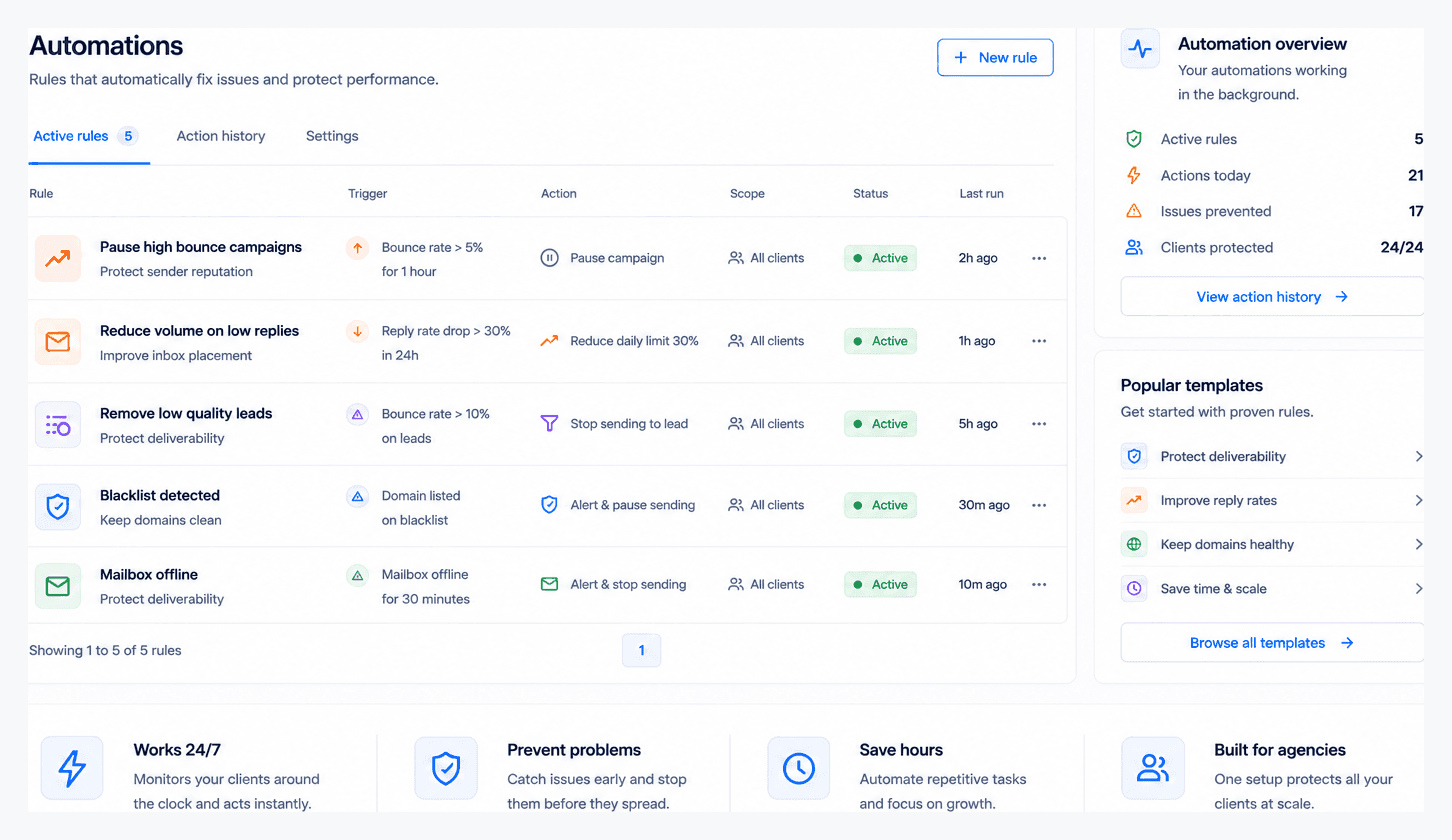
Automations — on your rules, off by default
BetaAn alert still needs you awake. Automations pause a broken campaign the moment it's detected — before the damage spreads. You pick notify, auto-pause or a cut to the daily send limit per issue type, org-wide or per client. Campaign pausing is confirmed on Instantly and Smartlead and attempted on EmailBison, which is self-hosted, so Coldops can't confirm the endpoint until it runs on your instance; pausing a single mailbox and cutting a campaign's daily limit run on Instantly only; Apollo has no write API, so those workspaces notify only.
Off by default
Nothing happens until you turn it on — and it starts in dry-run, logging what it would have done so you can watch it before trusting it.
Circuit breaker
A per-sync cap on auto-pauses bounds the blast radius. A bad data day can't pause your whole book.
Audit trail
Every action is logged with the rule and reason that triggered it, so you can see exactly what changed and resume it in your sending platform.
Built to be trusted with your client book
Reads, never sends
API keys are AES-256 encrypted at rest, never shown again and destroyed on disconnect. Coldops reads your campaign data. It never sends from your accounts.
MoreLess
The one thing it can write is an automation: off by default, opt-in per issue type, and only on platforms with a write API. Confirmed on Instantly and Smartlead, attempted on EmailBison.
Tenant isolation
Every row is isolated per agency with Postgres row-level security. We store campaign metrics, not your leads' personal data.
Independent
We don't sell inboxes, domains or warmup. When Coldops flags a burn, nobody's upselling you the replacement.
Provider-agnostic
Instantly, Smartlead, EmailBison and Apollo today, more next. Mix providers per client — same dashboard, one flat price.
Questions people ask before connecting
- What does Coldops actually monitor?
- Coldops watches 35 issue types across every client workspace you connect: bounce spikes, reply-rate collapse, mailboxes that stop sending, campaigns that read Active but have gone silent, SPF, DKIM and DMARC problems, revoked DKIM keys, blacklist listings and warmup that scores healthy while real mail lands in spam. Each one is checked on a schedule, as often as hourly, and the result rolls up into a 0-100 health score per client.
- Which sending platforms does Coldops support?
- Instantly, Smartlead, EmailBison and Apollo. You paste a read-only API key per client workspace and Coldops pulls campaigns, mailboxes and daily metrics from there. Connect as many workspaces as you like — price is set by mailboxes watched, never by client count.
- Does Coldops just alert me, or can it fix things?
- Both, and the automatic half is off until you turn it on. Alerts are the default. When you enable auto-fix, Coldops can pause a campaign, pause an individual mailbox or throttle a daily limit on Instantly, and pause a campaign on Smartlead. Every rule runs in simulation first so you can see what it would have done before it is allowed to do it.
- How is this different from the dashboard inside my sending tool?
- Your sending tool shows one workspace at a time and averages the campaign. Coldops sits above every client at once and reads per mailbox, which is where the failures actually start. A campaign averaging 2% bounce can hide a single inbox at 20%, and a warmup score of 100/100 only measures warmup mail talking to itself — it says nothing about what happens when you send to a real list.
- Do I need access to my clients' inboxes?
- No. Coldops reads the sending platform's API, not the mailboxes themselves. It never reads message content and never sends on your behalf. API keys are encrypted at rest and only the last four characters are ever shown back to you.
- What do clients see?
- Whatever you choose to send them. Coldops writes a weekly client update from that week's real numbers — sends, replies, deliverability, what changed and what you did about it — and you can send it as an email or a PDF under your own name. Clients never log in.