Deliverability monitoring for cold email agencies
Know before your client does.
Watch every client's cold email deliverability in one dashboard. Coldops tracks bounce spikes, spam placement, mailbox burn and SPF, DKIM, DMARC and blacklists across all your Instantly, Smartlead, EmailBison and Apollo workspaces — and alerts you the moment something slips, before it costs replies or a client.
14-day free trial of everything · no card required · live in 1 minute
Same bounce spike. Two very different weeks.
A client's mailboxes start bouncing on Monday either way. What changes is who finds out first — and whether the conversation is a heads-up or an apology.
Day 1 · 9:04am
Bounce rate spikes on Acme.
A sync catches it against the campaign's own baseline.
Day 1 · 9:05am
Coldops alerts you.
Root cause and fix attached. You pause and swap the burning mailboxes before lunch — the client never notices.
Outcome: retainer kept.
Day 1 · 9:04am
Bounce rate spikes on Acme.
It's buried in tab 14. Nobody's looking today.
Day 3 · 4:41pm
Your client emails you.
“Replies dropped off a cliff — what's going on?” Now you're three days behind, firefighting, on the back foot.
Outcome: trust dented.
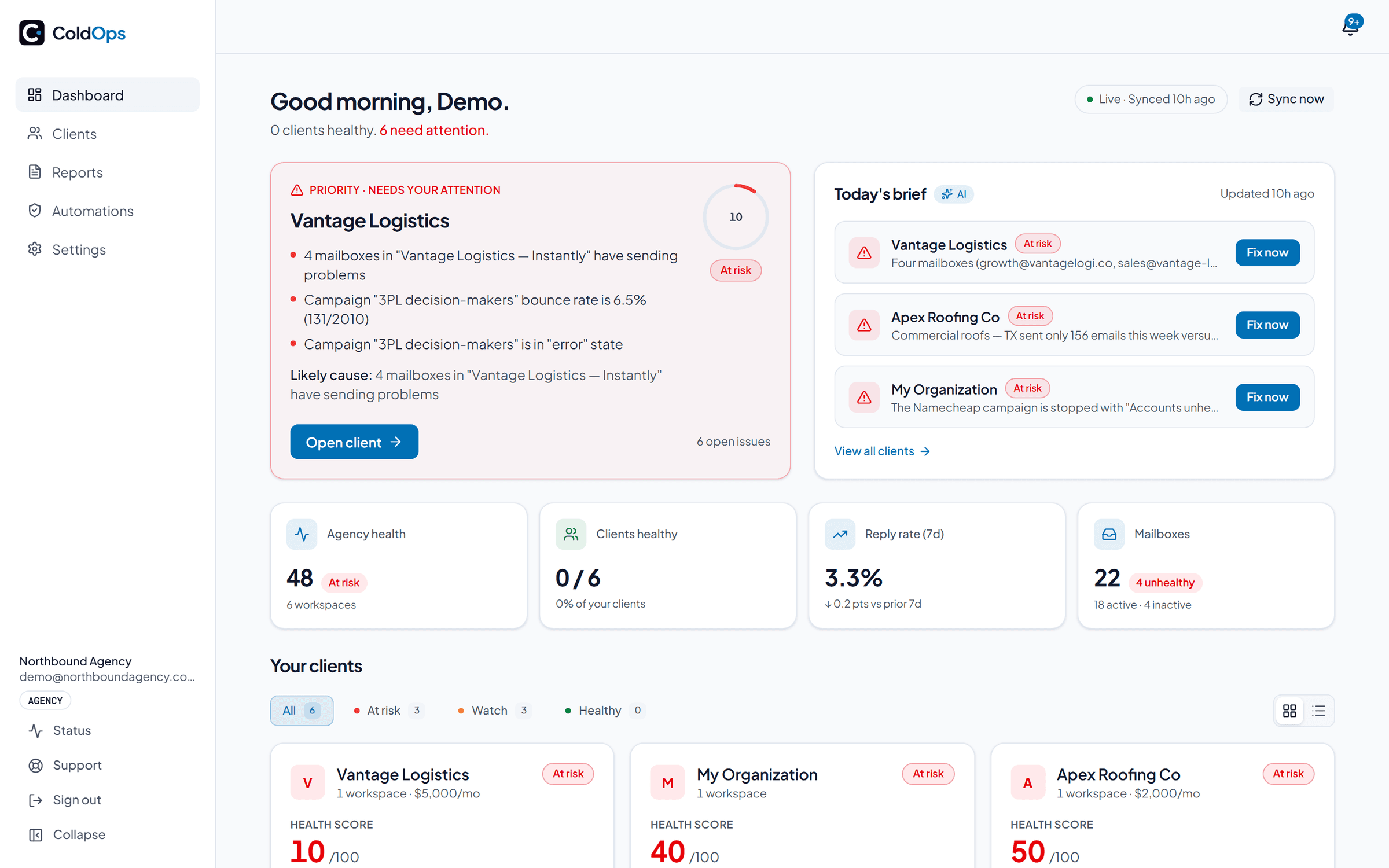
Every client, one view.
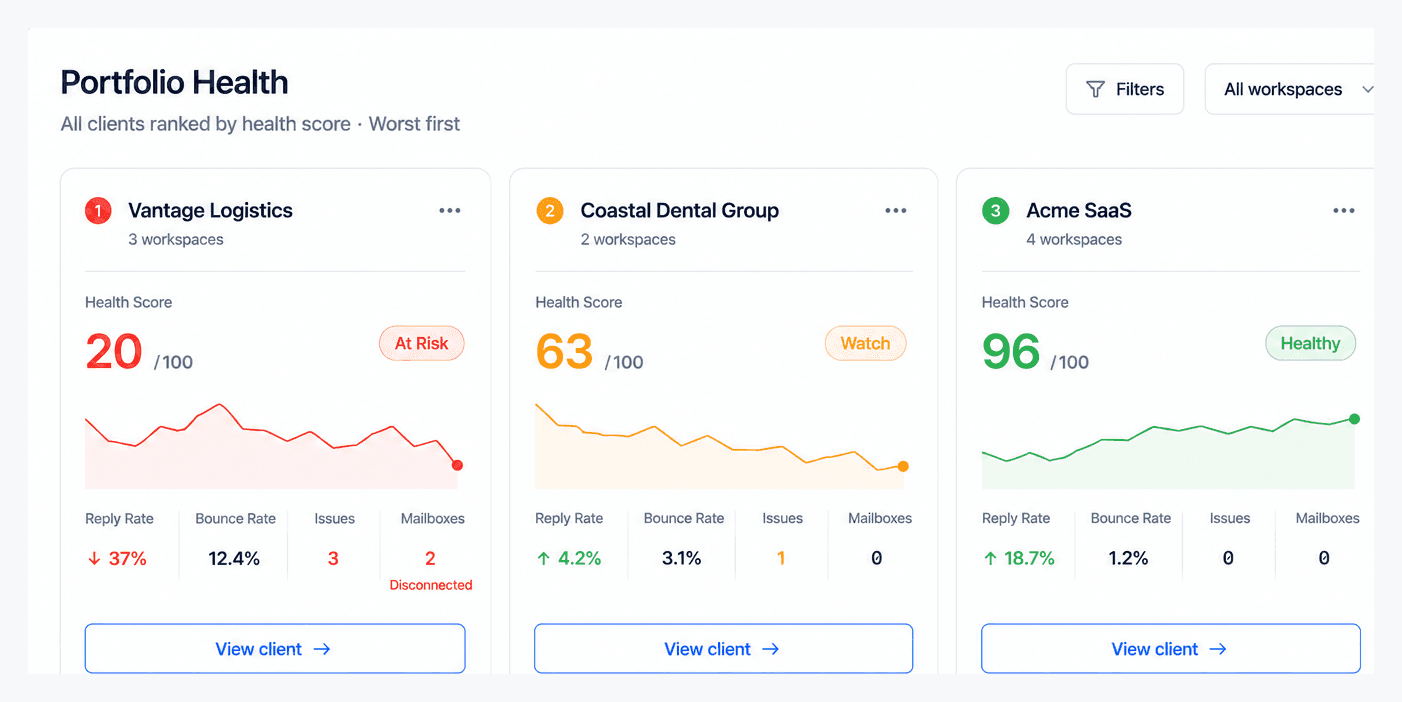
Stop opening 15 Instantly, Smartlead, EmailBison and Apollo tabs every morning. Coldops pulls every client workspace into one portfolio, scores each on a live 0–100 health scale and sorts worst-first — so the account most likely to churn is at the top of your screen at 7am, not buried where you find it a week too late.
Every score is itemized, so you can always answer “why is this client an 82?” — and see exactly which mailbox, domain, or campaign is dragging it down.
Catch what tanks inboxing.
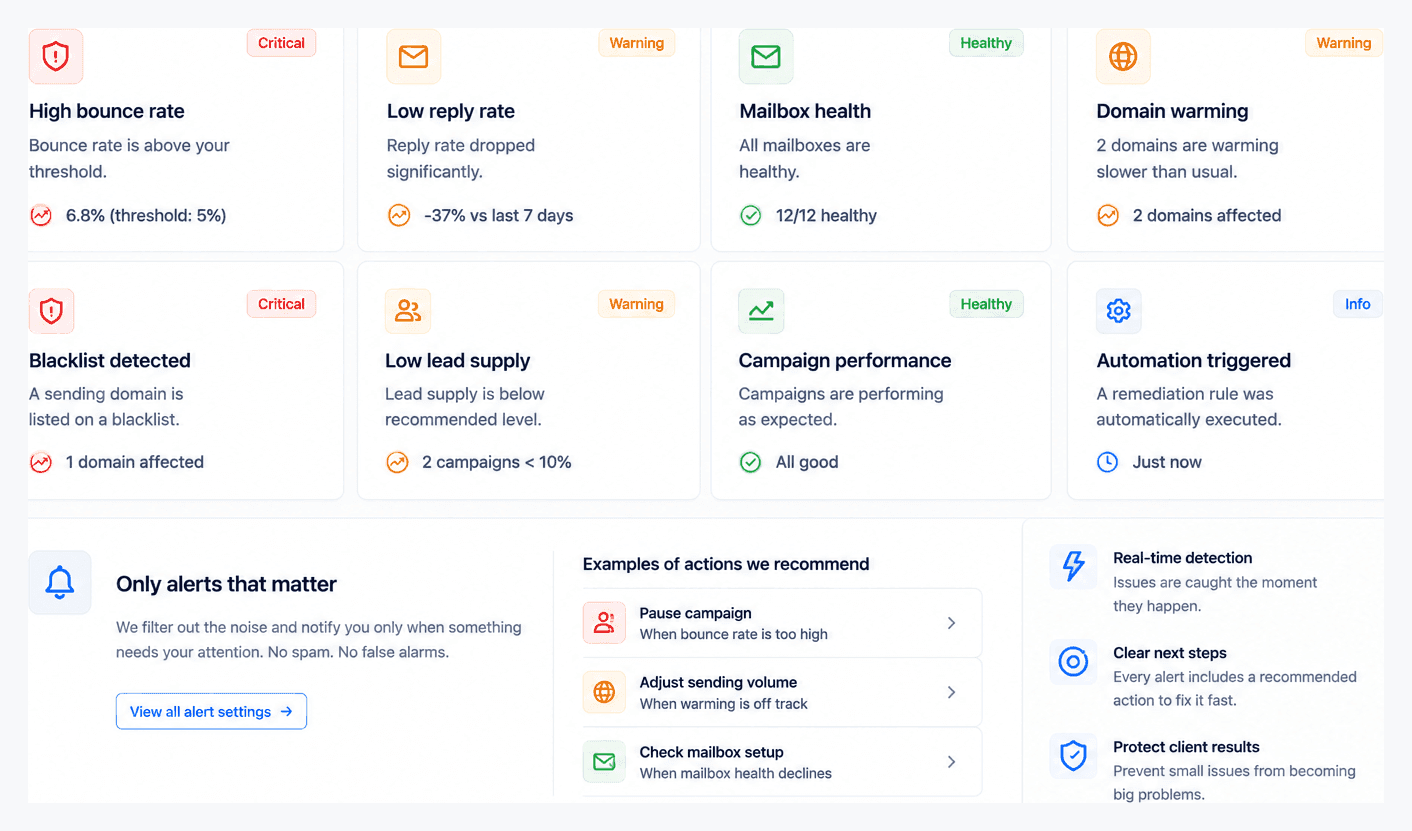
35 deterministic checks run against each campaign's own baseline on every sync. Bounce-rate spikes, reply-rate crashes, disconnected mailboxes, warmup decay and mailbox burn, spam-folder placement, campaigns that quietly ran out of leads and a DNS and blacklist pass on every sending domain. Everything that moves inbox placement, watched in one place.
One of those checks has no counterpart in your sending platform. Instantly's Unibox and Smartlead's Master Inbox both pool replies across every mailbox and tell you the moment one lands and they do that job well. Neither tells you when replies stop. An arriving reply is an event, so it's easy to notify on; a reply rate sliding toward zero is an absence and nothing fires on an absence. Coldops compares each campaign's reply rate over the last 7 days against that campaign's own previous four weeks and alerts when it drops below half of that baseline. The silence is usually the first symptom of a deliverability problem.
Each issue alerts once — by email or Slack — with the root cause and a concrete fix, then auto-resolves when it's handled. No alert storms, no “your score dropped” riddles. If you've wondered why cold emails land in spam, this is where you catch it early.
DNS and blacklists, checked as often as hourly.
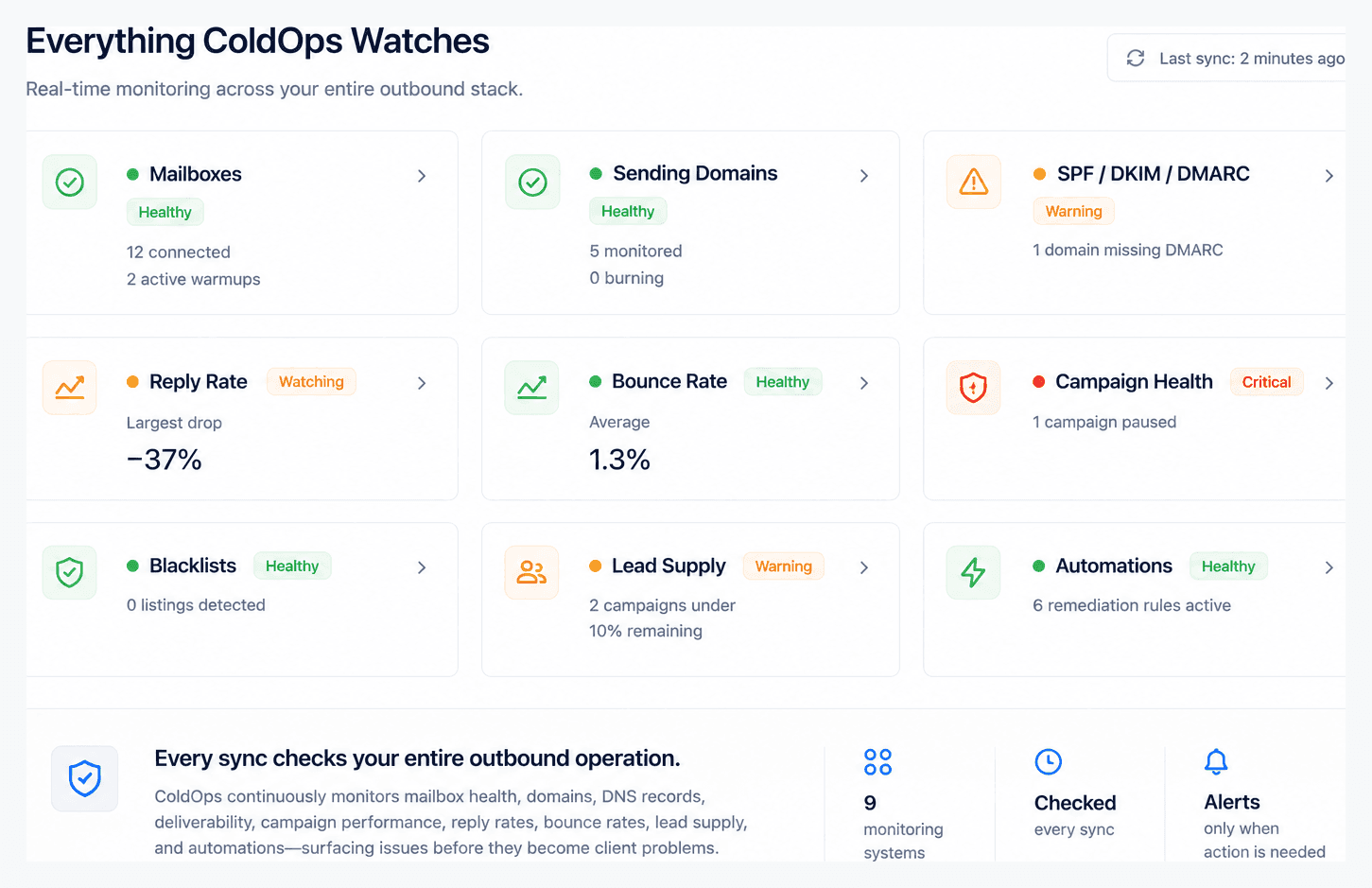
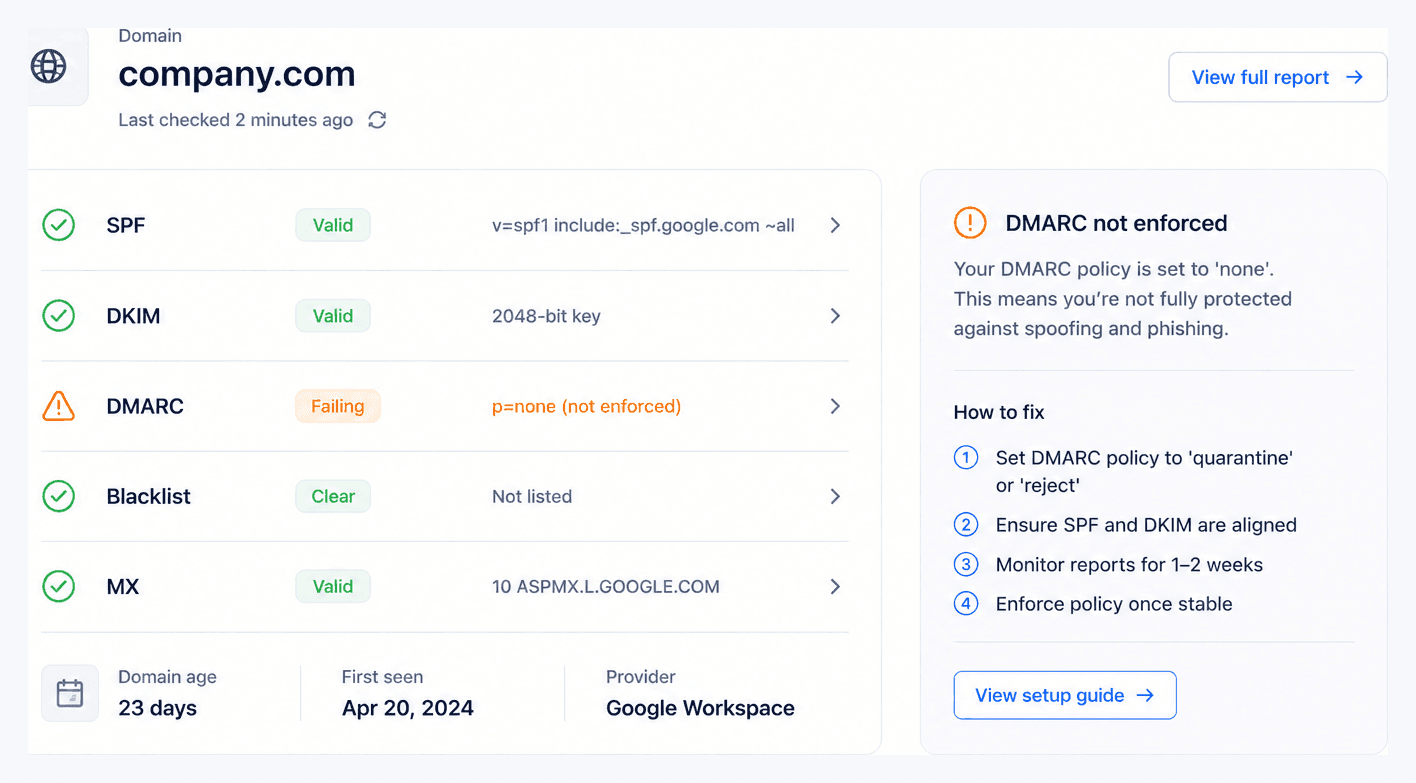
A client's domain can pass this morning and fail tonight — a DMARC record edited, a domain listed on Spamhaus, an SPF lookup that quietly broke. Coldops checks SPF, DKIM, DMARC, MX, blacklist status and domain age and expiry on every sending domain, on every sync and flags the slip before inbox placement drops.
Want to check a single domain right now? Run the free deliverability checker — Coldops runs that same check on every client domain, automatically, forever.
Know first. Prove it.
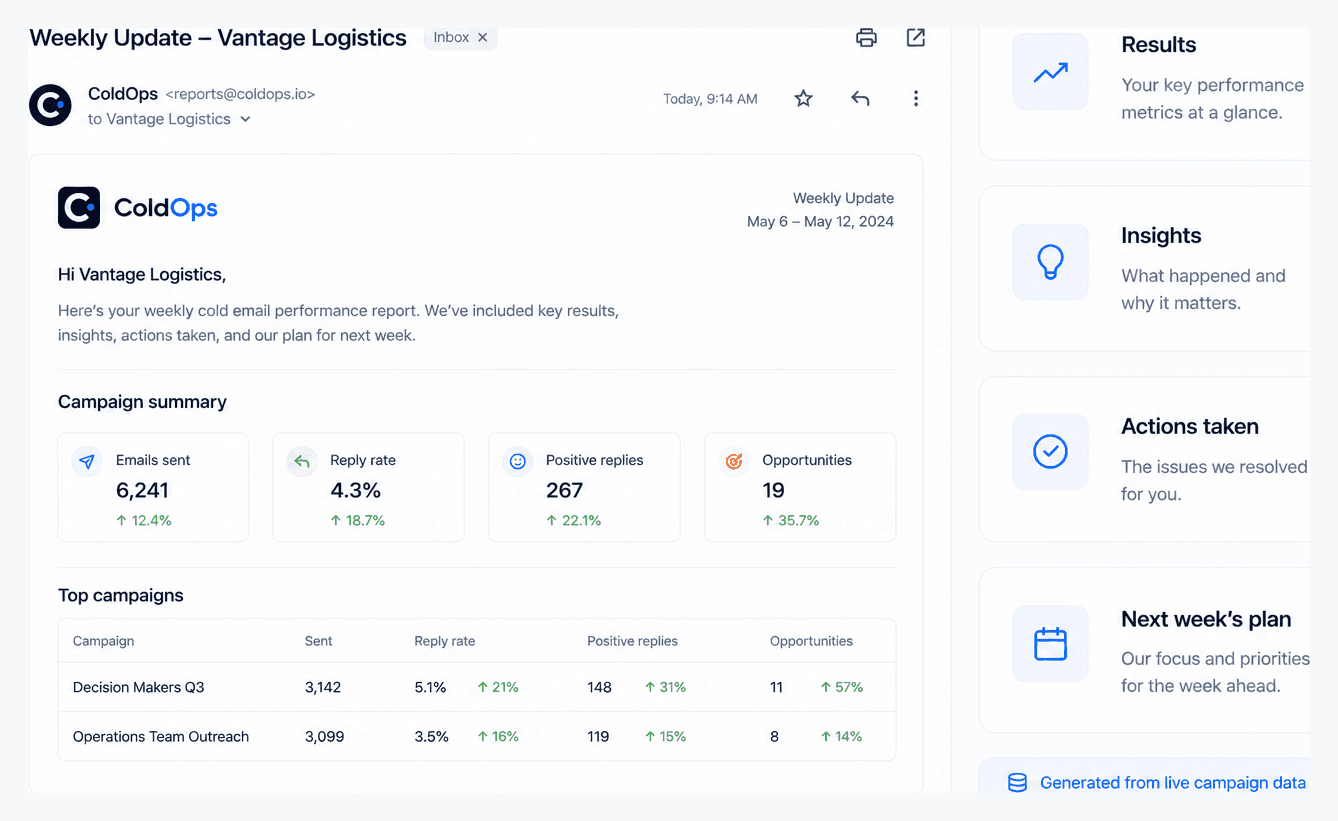
Monitoring keeps campaigns healthy; the weekly client update makes it visible. Coldops drafts a client-ready email from each client's real numbers — results, what was done, what's next — white-labeled with your logo. Two minutes to send instead of forty-five and the client sees an agency that's on top of it.
Catching a spam-folder week before the client emails you is what keeps the retainer. That's the whole job.
Reads, never sends
One API key per client — AES-256 encrypted at rest, never shown again, destroyed on disconnect. Coldops reads campaign analytics and account health and never sends from your accounts; the one thing it can write is an opt-in automation, confirmed on Instantly and Smartlead and attempted on EmailBison.
Independent by design
We don't sell inboxes, domains, or warmup. When Coldops flags a burn, nobody's upselling you the replacement — it only wins if your clients stay.
Instantly, Smartlead, EmailBison + Apollo
Connect any of them per client, or mix them across your book — same dashboard, one flat price. Checks run on whatever each platform reports, so a platform that exposes more data gets more checks. More platforms on the roadmap.
How it works
Monitoring every client, in one minute.
Connect each client
Paste an API key per Instantly, Smartlead, EmailBison or Apollo workspace — EmailBison is self-hosted, so it also takes your instance URL. Under a minute each.
Coldops syncs and checks
Every sync — as often as hourly — re-runs 35 issue checks, including DNS and blacklist checks on each domain.
You get alerted first
New problems reach you by email or Slack with the root cause and the fix — before the client notices.
Already on Instantly? See exactly what Coldops reads on the Instantly integration page, or compare Coldops with the closest alternatives in Coldops vs Peeker and Coldops vs EmailGuard.
FAQ
Deliverability monitoring, answered.
What is deliverability monitoring for cold email?+
Deliverability monitoring is the ongoing tracking of everything that decides whether your cold emails reach the inbox — bounce rates, spam placement, mailbox and warmup health, sending-domain reputation and DNS authentication (SPF, DKIM, DMARC). For an agency running many client workspaces, it means catching a problem on any client's account the moment it starts, instead of finding out when replies dry up and the client calls.
How does Coldops monitor cold email deliverability?+
You connect each client's sending platform with an API key. Coldops then syncs every hour, and every sync re-runs 35 deterministic checks against each campaign's own baseline — bounce spikes, reply-rate drops, mailbox disconnects, warmup decay, spam placement, out-of-leads, DNS and blacklist checks on every sending domain and more. Anything new triggers a single alert with the root cause attached.
Which sending platforms does Coldops work with?+
Instantly, Smartlead, EmailBison and Apollo are all live today. Mix them across your book — one client on Instantly, another on Smartlead, all in the same dashboard. See the Instantly integration for exactly what data Coldops reads. More platforms are on the roadmap; the system is built provider-agnostic.
What deliverability issues does Coldops catch?+
Bounce-rate spikes, reply-rate crashes, disconnected or sending-error mailboxes, warmup decay and mailbox burn, spam-folder placement, campaigns that ran out of leads, sending domains listed on a blacklist and missing or misconfigured SPF, DKIM and DMARC records. Each issue is scored by severity and comes with concrete fix steps.
Does Coldops check SPF, DKIM and DMARC?+
Yes. Coldops checks SPF, DKIM, DMARC, MX, blacklist status and domain age and expiry on every client sending domain, on every sync and alerts you when any of them slips — before it starts costing inbox placement. Fleets past 50 domains rotate in batches so each domain is rechecked within a few syncs. You can also run an ad-hoc check any time with the free deliverability checker.
My sending platform already notifies me about replies. Why do I need this?+
Because it notifies you when a reply arrives, not when replies stop. Pooled inboxes, reply notifications and interested / not-interested tagging are solved in Instantly, Smartlead, EmailBison and Apollo and they do that job well. What none of them alert on is the absence: a campaign that was pulling 3% replies and is now pulling 0.4%. An arriving reply is an event; silence isn't, so nothing fires. Coldops tracks reply rate per campaign against that campaign's own trailing four-week baseline and raises an alert when the last 7 days fall below half of it, with the threshold adjustable in Settings. It waits for volume before firing (at least 200 sends in the last week and 400 in the baseline window), so a quiet Monday on a small campaign never pages you. That silence is usually the earliest visible symptom of a deliverability problem, which is why it gets its own check.
How is this different from an inbox placement test or a warmup tool?+
An inbox placement test is a point-in-time snapshot — useful, but it tells you nothing an hour later. A warmup tool sends and receives engagement to build reputation and vendors that sell warmup earn money when infrastructure burns and gets replaced. Coldops does neither: it continuously monitors the deliverability of the campaigns you already run and stays independent — the only way Coldops wins is if your clients' campaigns stay healthy.
How quickly will I know when a client's deliverability drops?+
The moment a sync detects it — and syncs run as often as every hour. Every sync re-runs all checks, so a bounce spike or a disconnected mailbox surfaces as an email or Slack alert as soon as Coldops sees it — not two or three days later. Each issue notifies once and auto-resolves when it's fixed, so there are no alert storms.
Can I monitor deliverability across multiple client accounts?+
That's the whole point. Each connected workspace becomes a client with its own health score and issue list and the dashboard rolls every client up into one portfolio view sorted worst-first — so the account most likely to churn is at the top of your screen, not buried in tab 14.
Does Coldops send emails from my accounts?+
No. Coldops never sends an email from your accounts and never touches your sequences. It reads campaign analytics, mailbox status and account health. The only thing it can write is an automation — pausing a campaign or mailbox, or lowering a daily limit — which is off by default, opt-in per issue type and logged (you unpause in your sending platform), and only on platforms with a write API: campaign pausing on Instantly and Smartlead, plus EmailBison, where a self-hosted build may not carry the endpoint; mailbox pausing and daily limits on Instantly. API keys are validated on entry, AES-256 encrypted at rest, never displayed again and destroyed when you disconnect.
How much does deliverability monitoring cost?+
One plan in three sizes by mailboxes watched: $49, $199 or $499 per month, never a per-client or per-seat fee. Every account starts with a 14-day free trial of everything, no card, backed by a 30-day money-back guarantee once you subscribe.